Examples
What a Course Map looks like.
The sheets, the schedule and the files a Course Map delivers: a course overview, a sheet for every hole, every surface measured, and operations sheets for the greens staff.
Illustrations. Every picture and figure on this page is an illustration of Example Course, a fictional course drawn for this website. It is not a real course, and its areas are invented. We will replace them with sheets from a real course when a club agrees to its course being shown.
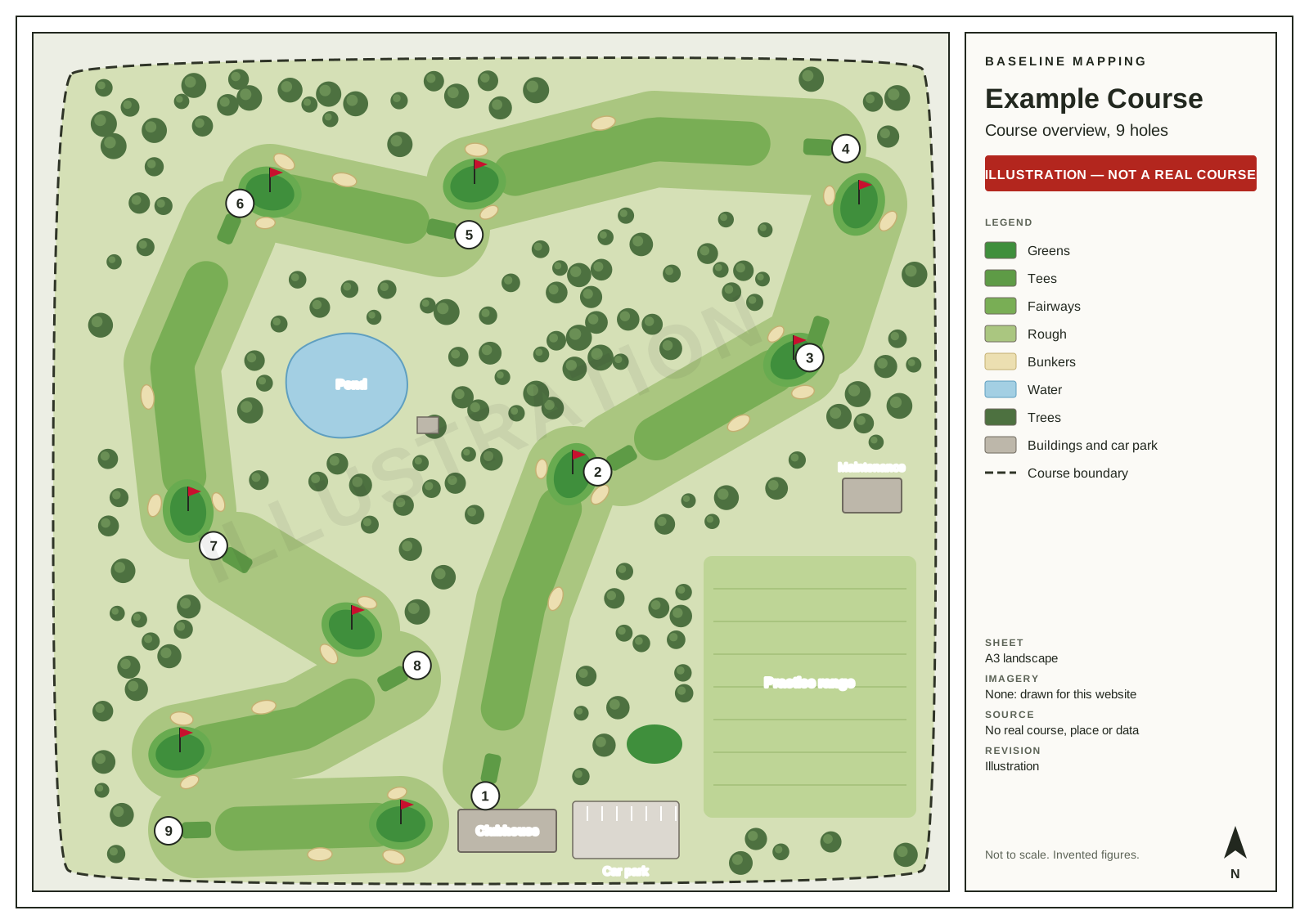 Overview
 The course overview
The whole course, on one sheet.
Every hole numbered, every surface drawn: tees, fairways, greens, bunkers and rough, with water, trees, buildings, practice areas and the course boundary. It is the sheet people recognise straight away.
For the clubhouse wall, the committee, a new staff member or a contractor’s first look at the course.
Each sheet we deliver states the imagery date and the revision date, names its source and carries the attribution. This illustration has no imagery, so its sheet says so.
Hole sheets
A sheet for every hole, with its areas.
Each hole on its own, its surfaces labelled and a table of their areas. Drawn from the same data as the overview, so the hole numbers and areas match on every sheet.
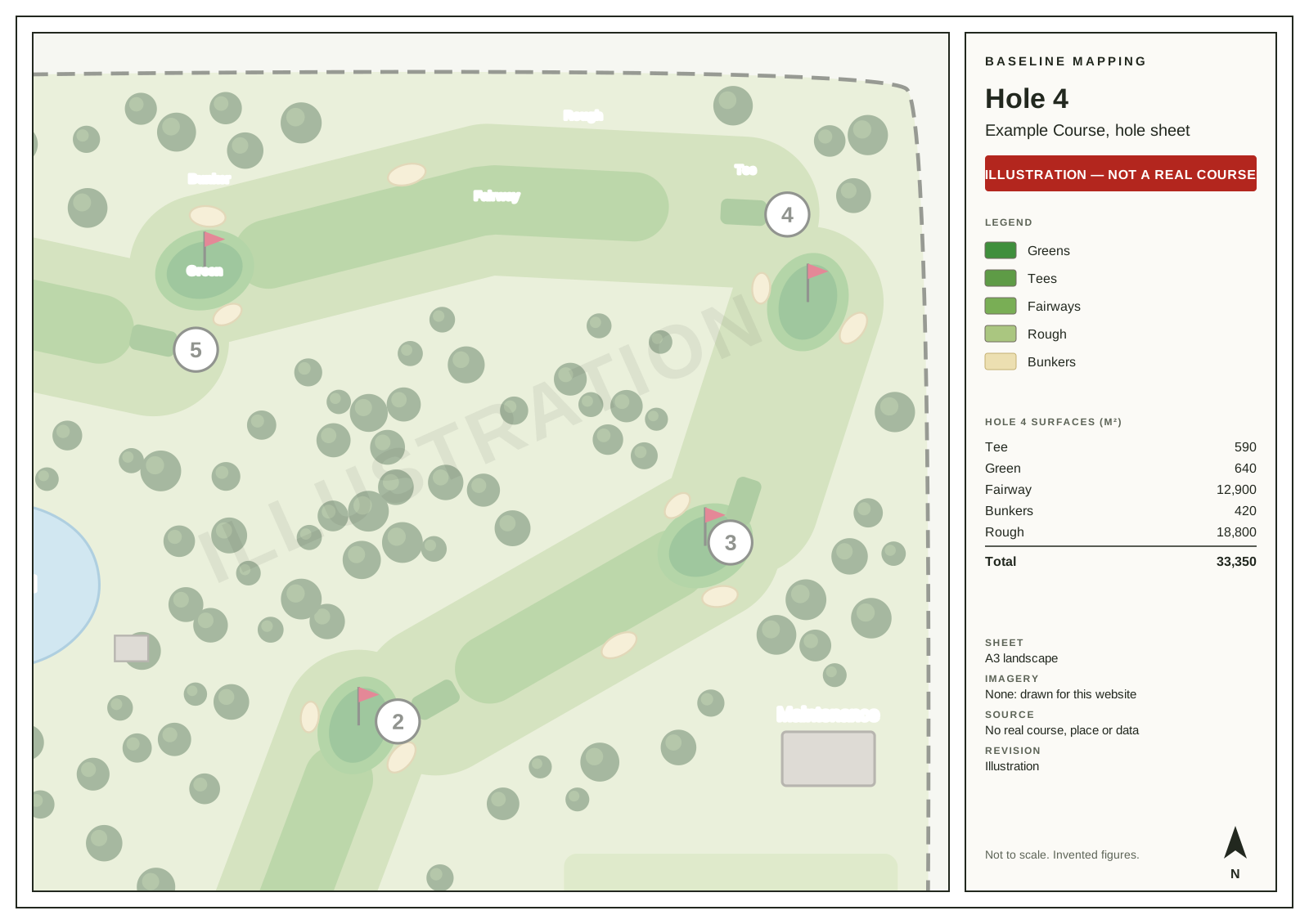
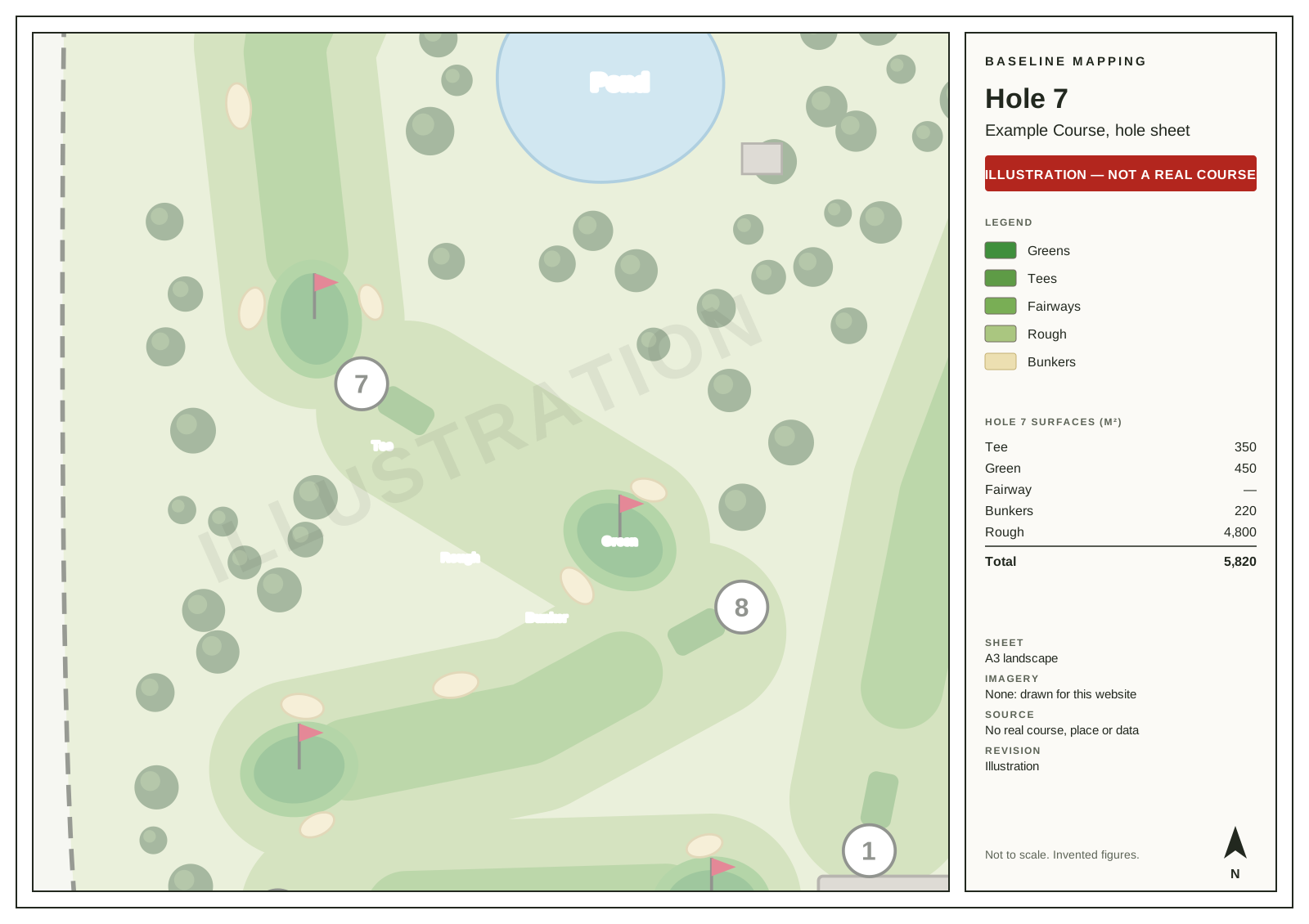
The surface area schedule
Every surface, measured, as a spreadsheet.
Every Course Map includes the surface areas by hole and by surface, and the ground outside the holes, as a spreadsheet. It is the table people otherwise work out by hand for a mowing, fertiliser or chemical budget.
Example Course: 9 holes, 19.54 ha in the holes and 22.59 ha in total. Invented figures, in square metres.
| Hole | Tees | Greens | Fairways | Bunkers | Rough | Total |
|---|---|---|---|---|---|---|
| 1 | 520 | 560 | 9,800 | 310 | 14,200 | 25,390 |
| 2 | 460 | 610 | 8,900 | 240 | 12,600 | 22,810 |
| 3 | 380 | 480 | — | 190 | 5,400 | 6,450 |
| 4 | 590 | 640 | 12,900 | 420 | 18,800 | 33,350 |
| 5 | 410 | 530 | 7,600 | 150 | 11,300 | 19,990 |
| 6 | 560 | 590 | 11,700 | 360 | 16,900 | 30,110 |
| 7 | 350 | 450 | — | 220 | 4,800 | 5,820 |
| 8 | 540 | 620 | 10,400 | 280 | 15,100 | 26,940 |
| 9 | 500 | 670 | 9,300 | 330 | 13,700 | 24,500 |
| Holes | 4,310 | 5,150 | 70,600 | 2,500 | 112,800 | 195,360 |
| Outside the holes | What it is | Area |
|---|---|---|
| Practice | Practice range and putting green | 14,500 |
| Service | Clubhouse, car park and maintenance shed | 6,200 |
| Other | Pond and tree belts | 9,800 |
| Outside the holes | 30,500 | |
| Whole course | 225,860 |
A hole’s surfaces add up to its total, so nothing is counted twice. A short hole has no fairway, shown as a dash. Areas are measured on the flat map: on a steep bank the ground itself is a little larger.
Operations sheets
Zones, irrigation and drainage, for the greens staff.
Every Course Map includes operational sheets drawn from the same data: your management and mowing zones, and the irrigation and drainage records you supply, drawn as supplied.
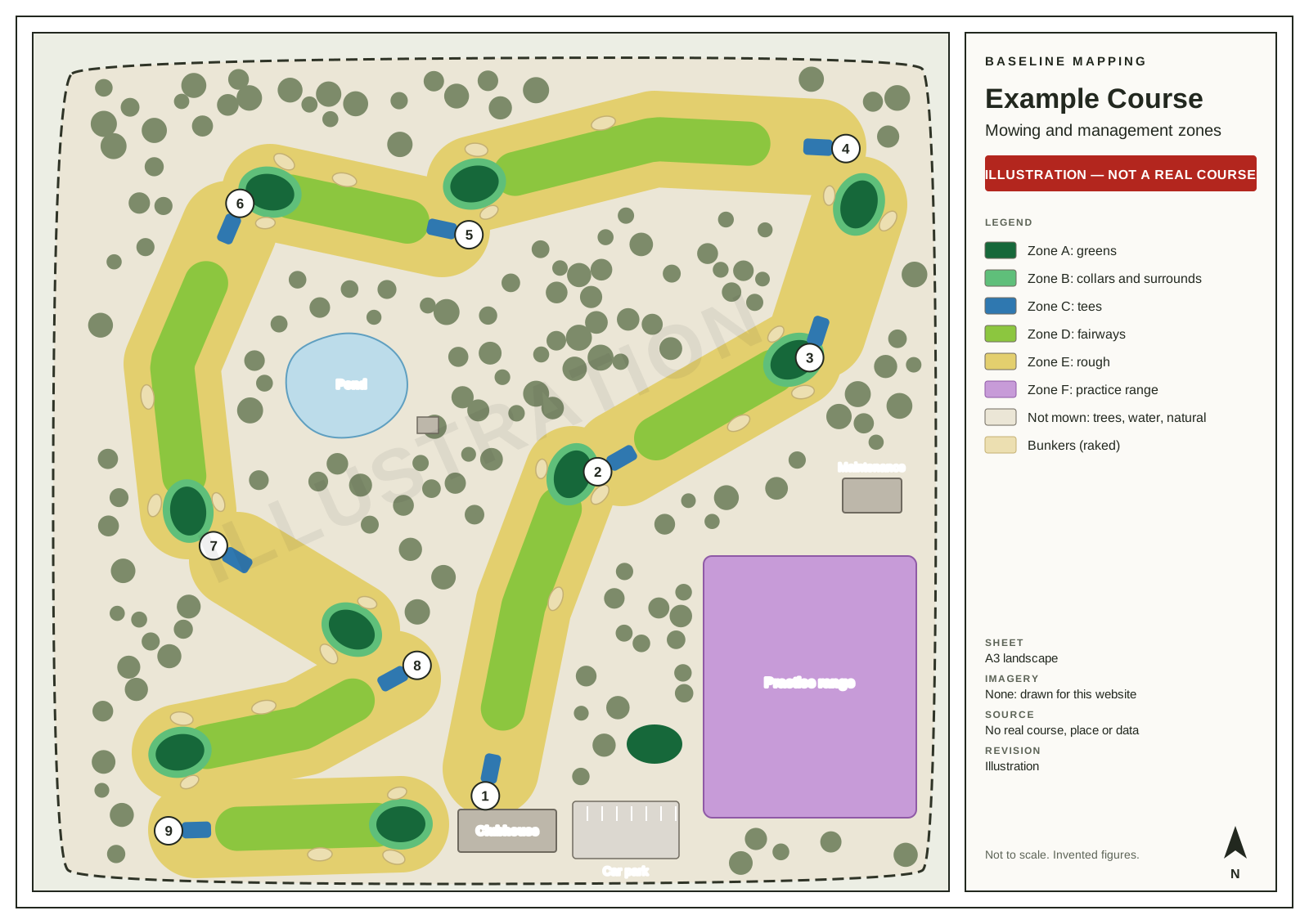
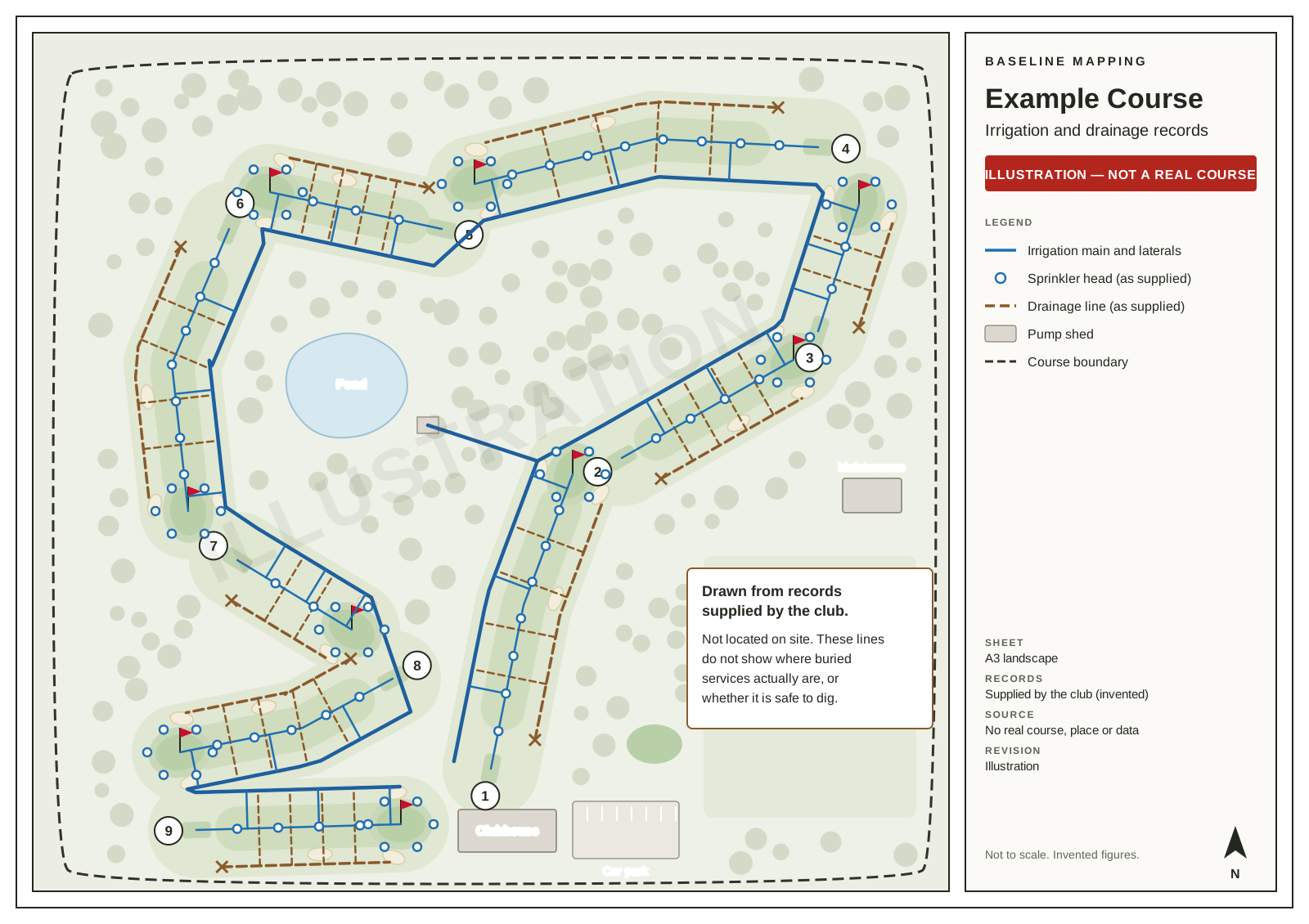
Irrigation and drainage lines show the records they were drawn from. They are not located on site, and do not show where buried services actually are or whether it is safe to dig. What the records layers show
The files
What is in the download.
Sheets (PDF)
- The course overview
- A hole sheet for every hole
- The mowing and management zones
- Irrigation and drainage, from your records
Print-ready at A3. Ask if you want a different sheet size.
Surface areas (spreadsheet)
- Every hole, by surface: tees, greens, fairways, bunkers and rough
- The ground outside the holes
- Totals by surface
Opens in Excel, Google Sheets or Numbers.
Mapped data
- A GeoPackage with every layer
- The same layers as shapefiles
- KML, which opens in Google Earth
- A README and a checksum manifest
Standard GIS formats that open in QGIS, ArcGIS and most mapping software. Yours to keep.
Want to see your own course like this?
Tell us about the course and we will confirm what we can produce from the imagery and records available, before you pay.